2018年3月9日星期五

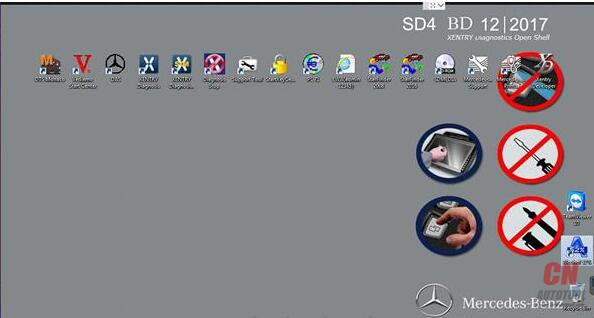
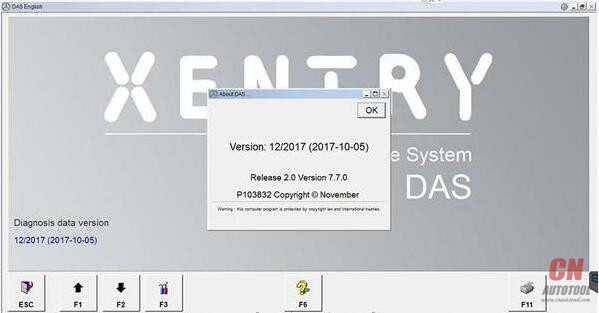
OpenShell XDOS 2017.12 issues and solutions(Collection)

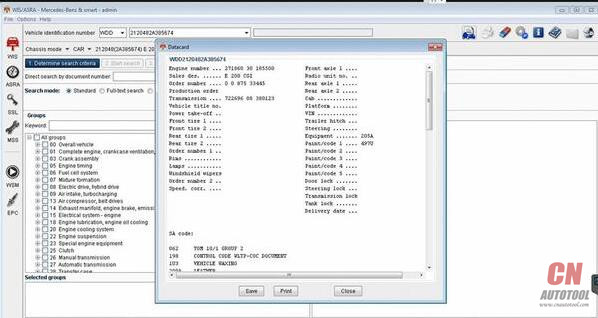
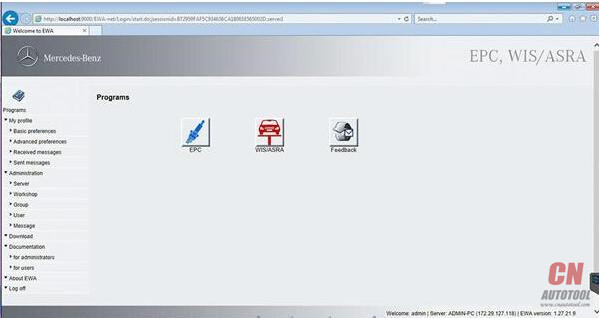
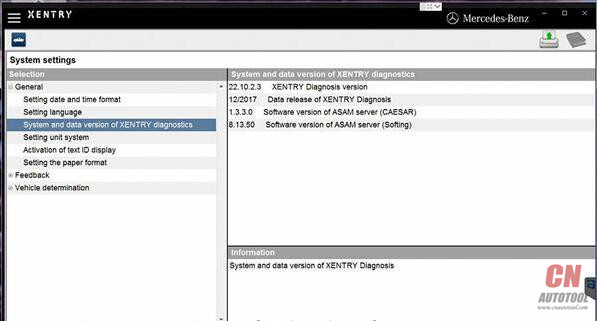
Here is some FAQ( Frequently asked questions ) of the newest version OpenShell XDOS v2017.12
CnAutotool hopes it’ll help you
Here you go:
Q: X86 or 64-bit Windows? HHT-Win?
A: NO HHT win. Win x32
Q: what hard disk capacity to be used?
A: 250 TO 350 GB HDD will be ideal.
Q: which acronis boot disk to be used to install the image ?
A: Restore the Image using Acronis Premium 2014 use Acronis Universal restore
Q: which laptops do you recommend ?
A: I recommend any good specs laptop
Q: does it support mb star c3 for older cars?
A: it dose not support C3
Q: i have Chinese Mb Star Connect C5 can i use it with that?
A: I have not tried on C5 but SDconnect C4 definitely yes
Q: I can’t install on Lenovo T500, have a blue screen of death
A: You need to prepare all your computer’s necessary drivers on a USB stick so Acronis can install them in the compatibility mode at the time of unpacking to hard drive.
Q: Should i have a XDOS HDD version or SSD?
A: SDD better, runs faster and more stable.
Q: I can not install OpenShell XDOS 2017.12 on 32 bit operating system, it comes to 439 and is automatically uninstalled. Does anyone have such a problem?
A: for windows 32bit, you have to edit xentry diagnostics openshell.msi with orca. look at updated first page again.
or you can pm someone which has the file already patch.
OpenShell XDOS 2017.12 images:
30-1 30-2 30-3 30-4 30-5
30-6 30-7 30-8 30-9
30-10
http://obdscanner.info/2018/03/10/openshell-xdos-2017-12-issues-and-solutionscollection/

DAS Developer mode add Cruice control to Vito viano W639

For adding cruise control on vito viano w639
It is not my discovery, i find that on internet.
Add cruisecontrol / limiter to your Vito/Viano W639 it’s configuration.
This should work for all W639 till AJ08
In DAS Developer mode tested version 10-2008)
Used with SD connect C4 multiplexer
In engine control unit:
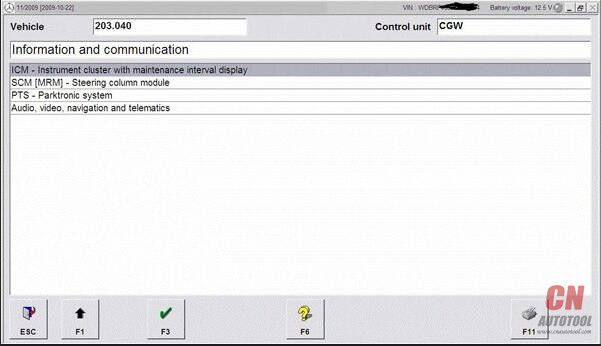
Entwicklungen (Development data) ->F3
Password : flexecu ->F3
Steuergerate – Anpassungen (Control unit adaption) ->F3
Steuergerate-Anpassungen (Variantencoderierung) ->F3
VCD_Transporter->F3
a Pop-up tells you : “Mindest eine Codiereinstellung ist ungultig” confirm -> OK
Here you will find the option settings
write down the line that is blue.
For example : NSG or NAG_Klima_Wasserstandschalter
Now we search for the string that contains the same options + Tempomat and Begrenzer
So that will look like : NSG or NAG_Tempomat_v-Begrenzer_Klima_Wasserstandschalter
Once you find it , click it and confirm with ->F3
“Soll die Codierung in Steuergerat ubertragen werden ?”->F3
JA or YES->F2 to proceed
Now we log out the engine ecu and go to the :
Instrument Cluster ( Kombi instrument) (Magnetti Marelli)
Steuergerate-Anpassungen (Variantencoderierung) ->F3
Variantencoderierung Algemeine Daten->F3
Scroll down untill you see “Limiter” set to Ja or Yes ->F3
F2 -> F1 -> F1
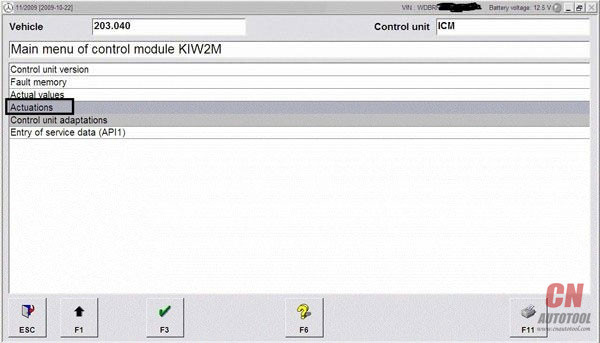
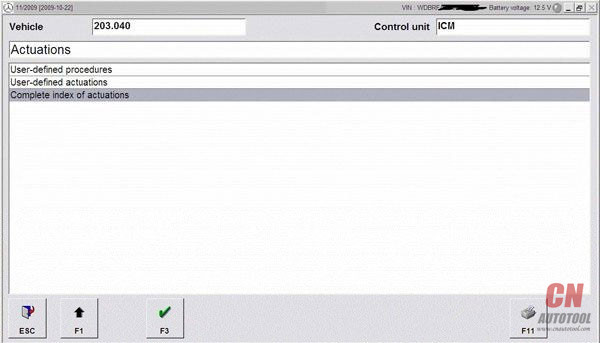
Ansteuerungen -> Gesamstliste aller Ansteuerungen ->
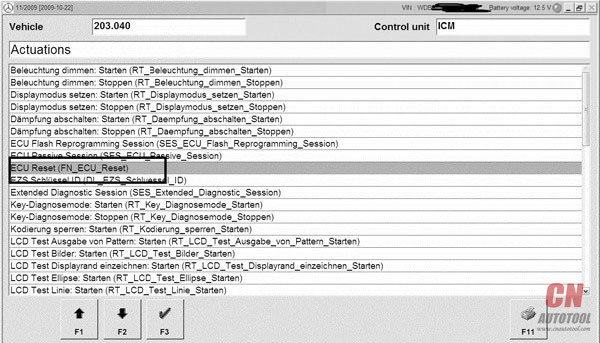
Scroll down untill you see the line : Steuergeraet Resetten (PowerON-Modus) (FN_Reset_SG_Power_ON)
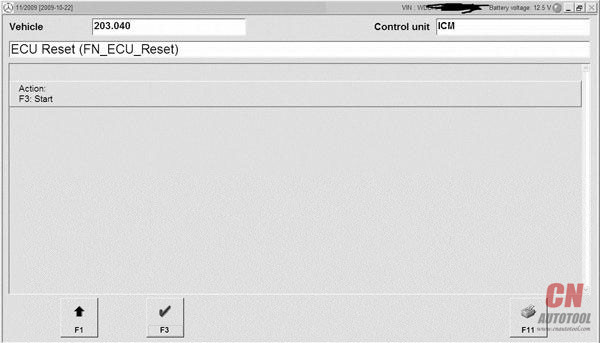
Press F3 and confirm again with F3
Now you will see the “Kombiinstrument” reboots
Cruise control coding is added succesfully to your W639 now

How to Enable tank info & L100KM into KML Mercedes W211 W203, etc.

Here is a tutorial of how to do it: use SD Connect C4 mux to enable tank info & L/100KM into KM/L mercedes W211 (W203) (w221) and more
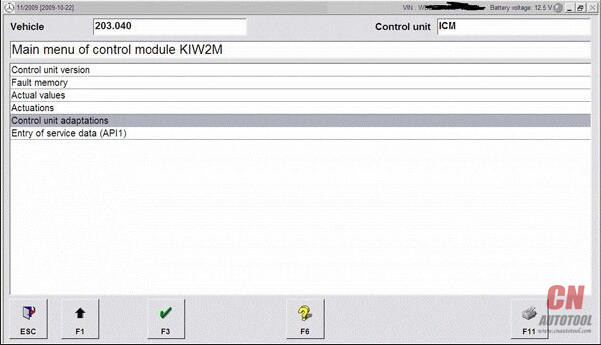
In DAS Developer mode :
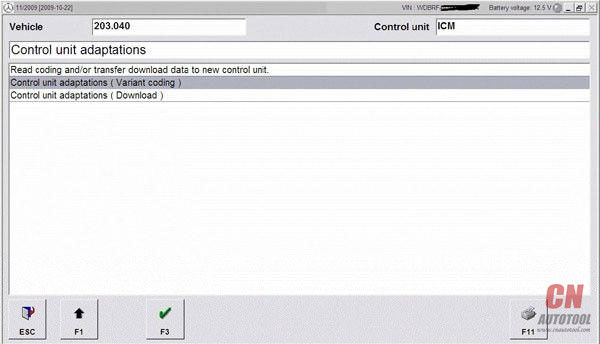
Kombiinstrument -> Diagnose nach Werkangabe -> Steuergerate-Anpassungen ->
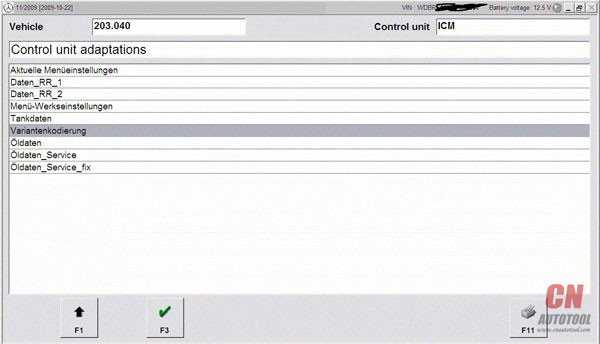
Steuergerate-Anpassungen (Variantencoderierung) -> Variantkodierung Werkeinstellungen ->
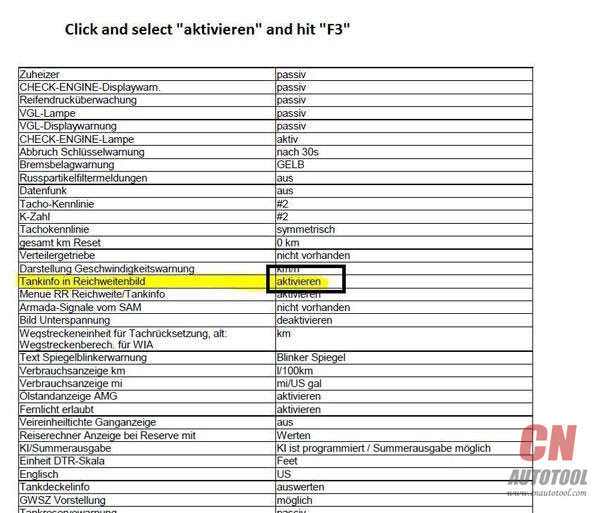
In the menu that shows , you scroll down untill you read the line : Tankinfo im Reichweitebild
enable this option
now you have tankinfo in the screen that otherwise only showed range
If you allso wanna adjust the way fuel consumtion is showed
you scroll a little more down untill you read the line : Verbrauchanzeige km
you can change it from L/100km into km/l
Scroll down and confirm Coding by pressingF3
if you watch your Instrument Cluster , you notice that scrolling through the menu , nothing changed .
For this , the “Kombiinstrument” needs a reboot.
to do this in Developer mode we go back by hitting F1 -> 3 times
then choose Ansteuerungen -> Gesamstliste aller Ansteuerungen ->
Scroll down untill you see the line : Steuergeraet Resetten (PowerON-Modus) (FN_Reset_SG_Power_ON)
Press F3 and confirm again with F3
Now you will see the “Kombiinstrument” reboots

This article is published by CnAutotool.com.

http://obd2scanner.info/2018/03/10/how-to-enable-tank-info-l100km-into-kml-mercedes-w211-w203-etc/

How to Enable tank info & L100KM into KML Mercedes W211 W203, etc

Here is a tutorial of how to do it: use SD Connect C4 mux to enable tank info & L/100KM into KM/L mercedes W211 (W203) (w221) and more
In DAS Developer mode :
Kombiinstrument -> Diagnose nach Werkangabe -> Steuergerate-Anpassungen ->
Steuergerate-Anpassungen (Variantencoderierung) -> Variantkodierung Werkeinstellungen ->
In the menu that shows , you scroll down untill you read the line : Tankinfo im Reichweitebild
enable this option
now you have tankinfo in the screen that otherwise only showed range
If you allso wanna adjust the way fuel consumtion is showed
you scroll a little more down untill you read the line : Verbrauchanzeige km
you can change it from L/100km into km/l
Scroll down and confirm Coding by pressingF3
if you watch your Instrument Cluster , you notice that scrolling through the menu , nothing changed .
For this , the “Kombiinstrument” needs a reboot.
to do this in Developer mode we go back by hitting F1 -> 3 times
then choose Ansteuerungen -> Gesamstliste aller Ansteuerungen ->
Scroll down untill you see the line : Steuergeraet Resetten (PowerON-Modus) (FN_Reset_SG_Power_ON)
Press F3 and confirm again with F3
Now you will see the “Kombiinstrument” reboots

This article is published by CnAutotool.com.

http://obd2scanner.info/2018/03/10/how-to-enable-tank-info-l100km-into-kml-mercedes-w211-w203-etc/

(Solved) SDC4 setting failure and configuration don’t work

Solution to the failure of MB SD Connect C4 setting and configuration don’t work.
26-1
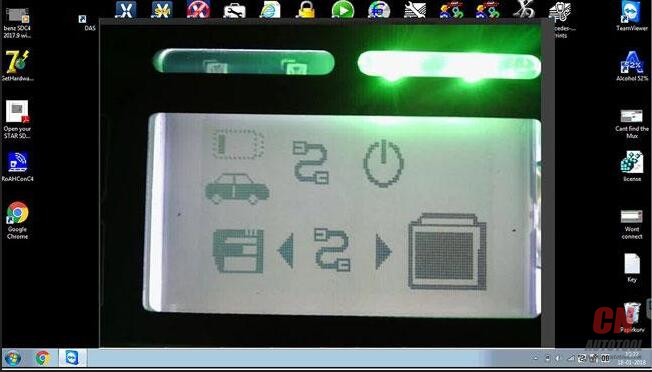
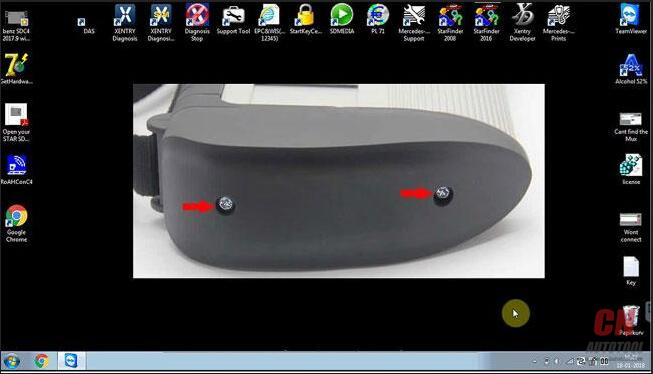
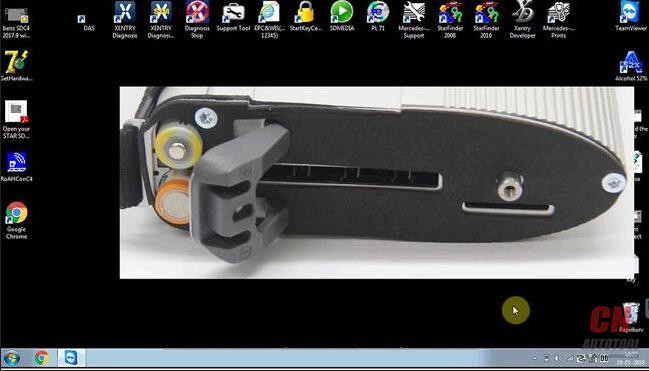
Unscrew
26-2
26-3
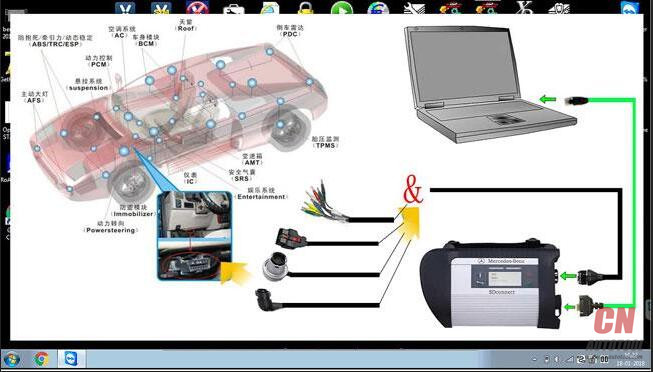
This is correct wiring diagram.
26-4
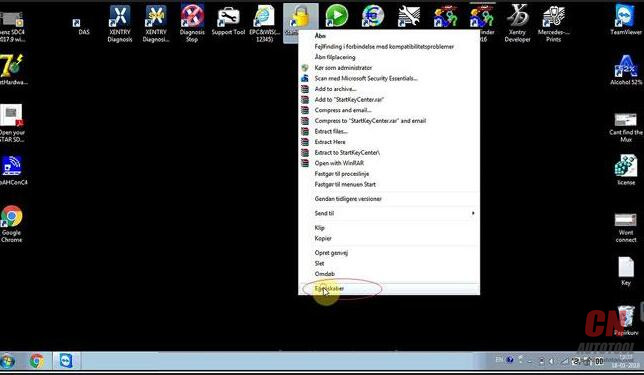
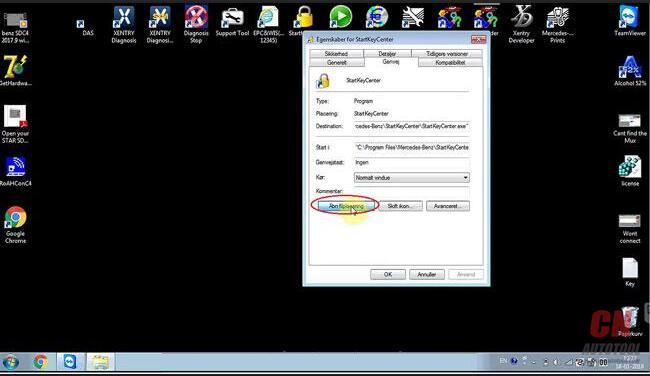
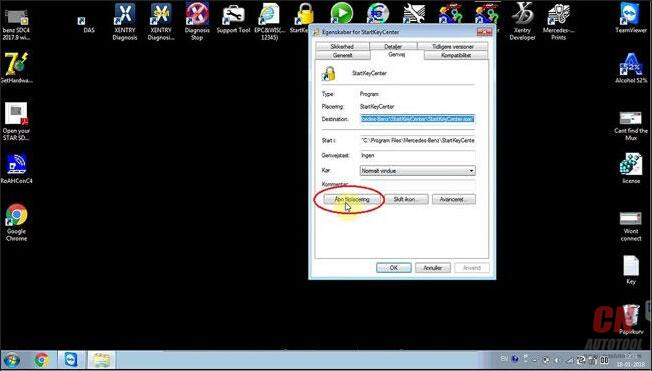
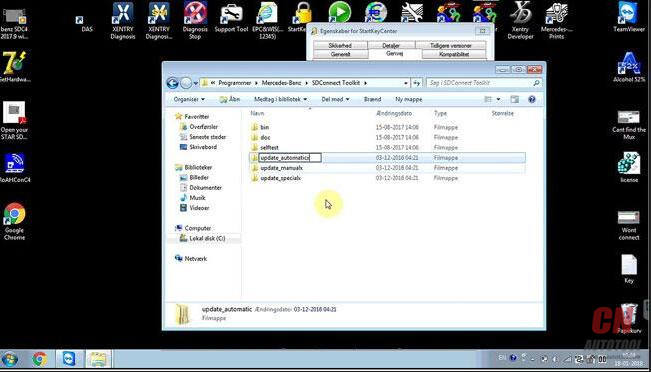
Right click on the icon “StartKeyCenter”, then “Properties” – “Find target”
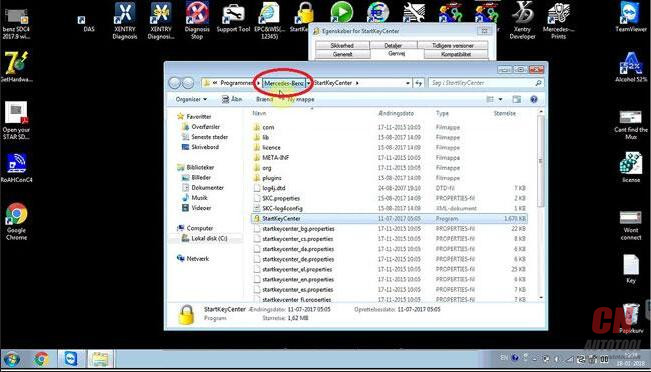
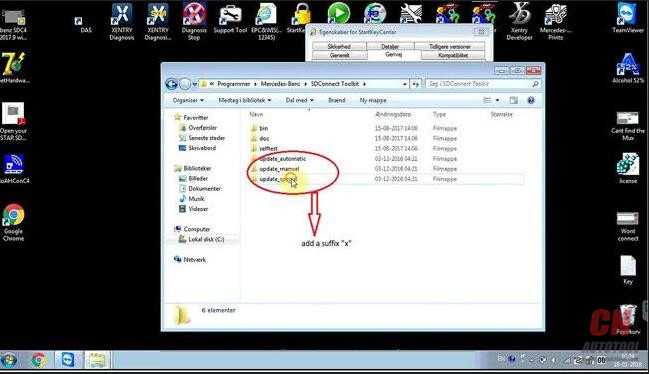
On the desktop, right click on “StartKeyCenter”, then option “Properties” – “Find target” – “Mercedes Benz” – “Sdconnect ToolKit”, rename the last 3 folder, delete the final letter”x”
26-5
26-6 26-7 26-8
At the right corner of the desktop, click “Administrator”.
26-9
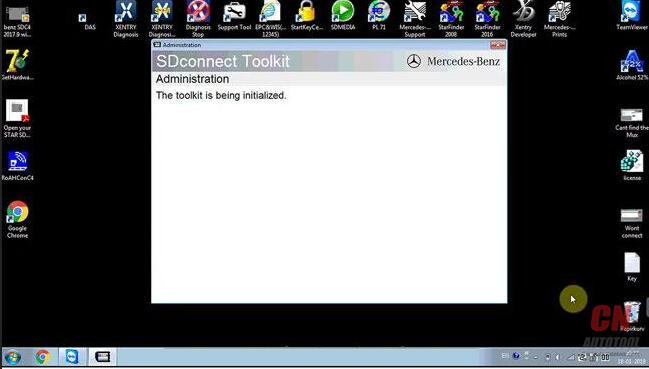
This toolkit is being initialized
26-10
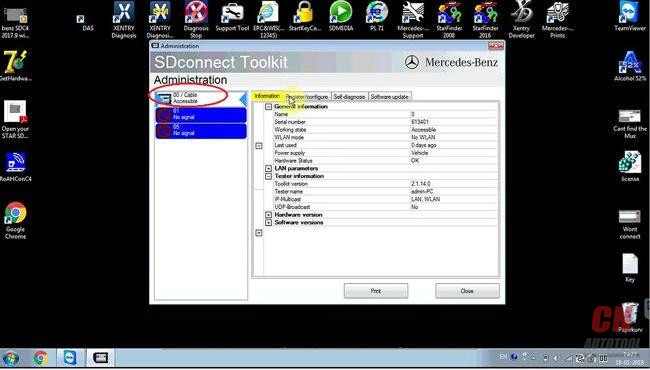
Click “00/Cable Accessible”
26-11 26-12
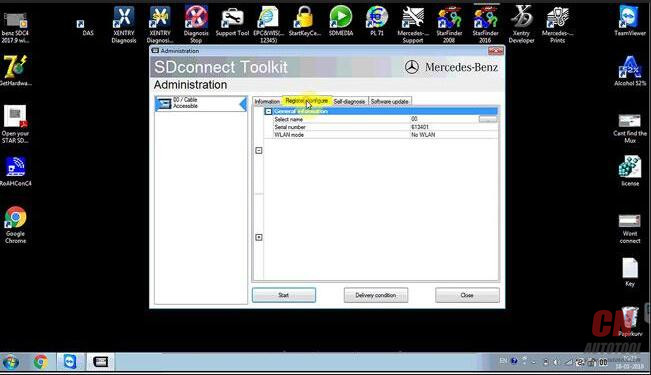
Click on “Register / Configure”
26-13
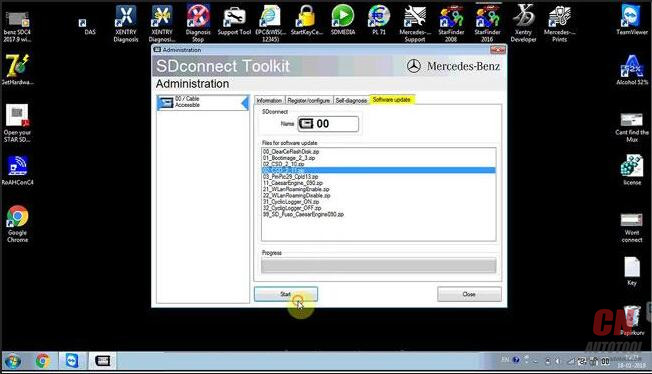
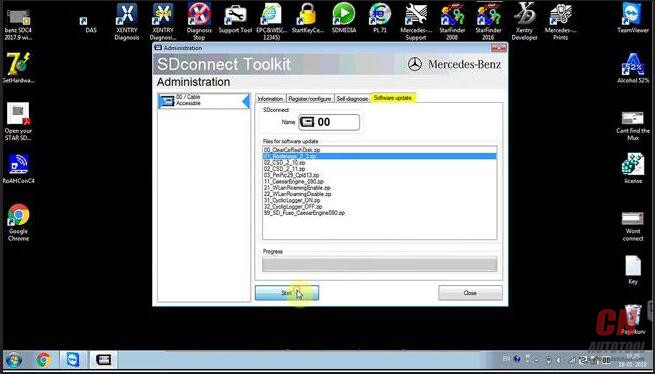
Update “CSD_2_11.zip”
26-14
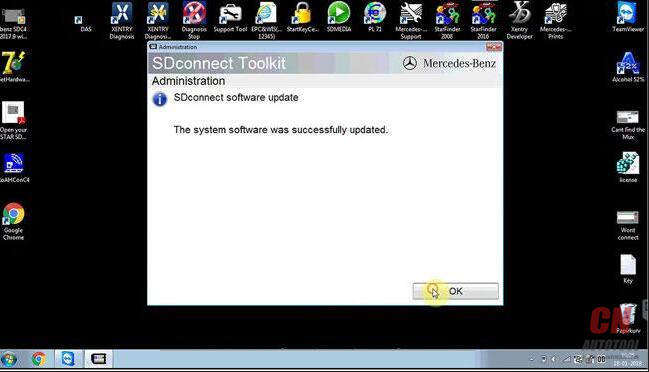
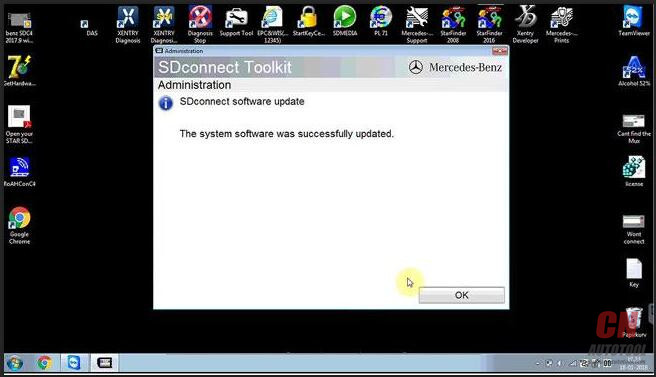
The system software was successfully updated.26-14
Back to update “Bootimage_2_3.zip”
26-15
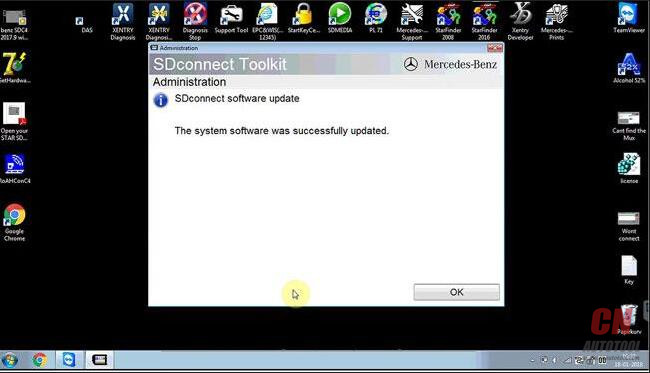
The system software was successfully updated.
26-16
Back to click on “00/ Cable Accessible”
You see it’s accessible.
26-17
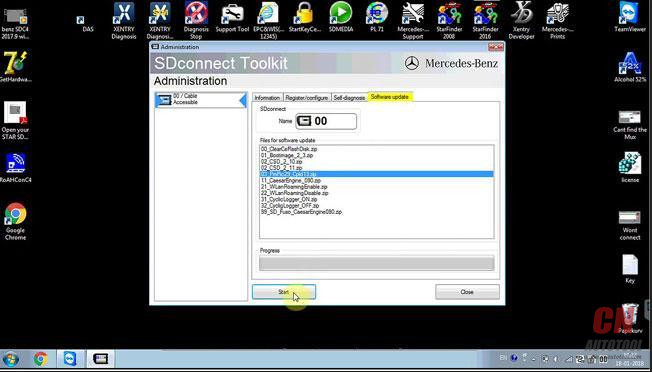
Click on “Software update”, then “03 PMpic29_cpld13.zip”
26-18
The system software was successfully updated.
26-19
Check the information
26-20
Back to the desktop, right click on “StartKeyCenter”, then option “Properties” – “Find target” – “Mercedes Benz” – “Sdconnect ToolKit”, rename the last 3 folder, add a suffix “x”
26-21 26-22 26-23 26-24 26-25
Done
SDC4 tech support supplied by http://www.cnautotool.com

http://obd2scantool.net/2018/03/10/solved-sdc4-setting-failure-and-configuration-dont-work/

How to do 2009 Benz E350 Gas tank mod reset cluster

Purpose:do Gas tank mod reset cluster on my 2009 E350.
Tool option:
MB SD Connect C4 with dell 6410 laptop(Has ssd, 4gb mem, so it should be quicker than a dell630.)
Here we go:
Found out how to reset cluster: See below part,  it’s towards the end of the post.
Gas Tank Mod (Gallons) ***Need Developer Mode***
25 (1) 25 (2) 25 (3) 25 (4) 25 (5) 25 (6) 25 (7)
25 (8)
After you hit F3 it will carry on the coding process (hit “F1” to go back)
so we can reset the ECU so coding can take effect.
25 (9) 25 (10) 25 (11) 25 (12)
So far I’m loving MB STAR Diagnostic Tool. I am going to code the car this weekend for Bi-Xenons and then code the card to accept the OEM front LED city lights. I’m doing a e55 bi-xenon retro fit to replace the stock crappy h7 halogen e55 projectors.

http://obdscanner.info/2018/03/09/how-to-do-2009-benz-e350-gas-tank-mod-reset-cluster/

Clone Xentry Connect C5- Good & Bad Things

I bought “Original Clone Xentry Connect C5” from China’s retail store in 2017/12.
Good thing:
1. Unlike bad products of mercedes diagnostic tool C5 type C4 motherboard, texture is good
2. DoIP specification
Bad thing:
1. Because it is VM system + 32bit, the reaction is slow (SSD though …)
2. Vediamo can be used, but feeling like driving with DELL D 630 (unsuitable)
3. The DTS Monaco software is installed but the connection with the vehicle is NG (currently retail stores and manufacturer engineers are thinking about how to fix it)
4. Passwords are applied to each drive, making it hard to customize
5. Retail shops and manufacturer engineers lack knowledge (take time to support)
My thoughts
I think purchasing this product is still early.
There are too many trouble elements.
I’ll report it when the situation changes.
What I currently use (stable and comfortable)
New car: eCom (64 bit)
Normal: Clone SDConnect C4 (64 bit)
Old car: Star C3
Best regards